If you are using Microsoft Internet Explorer (tested only on Version 5.5), you can print the entire decoder output by setting a few Internet Explorer Options.
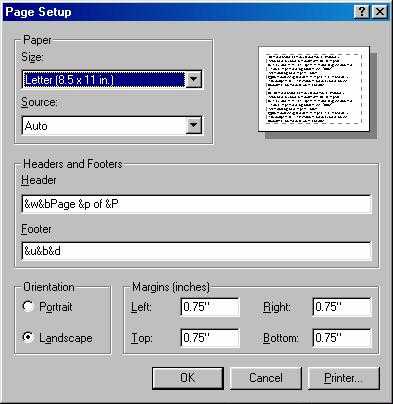
First, set your browser to print landscape by going to "File" then "Page Setup" and set the orientation as below:
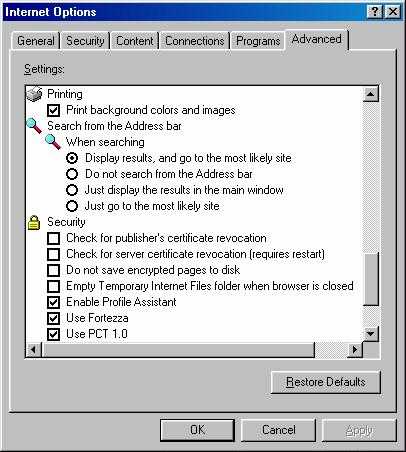
Second, Set your browser to print background images and colors. This is found in "Tools", "Internet Options", "Advanced" then scrolling down to the printing section and selecting "Print background colors and images" as shown here:
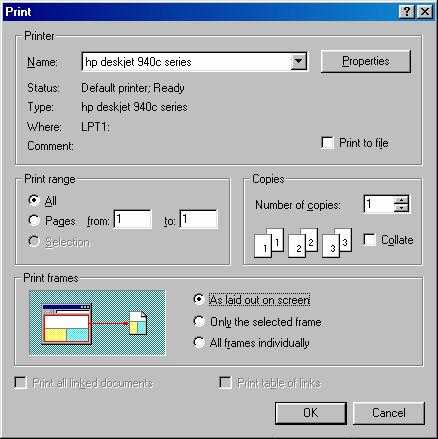
And third, since browsers by default only print the active frame, tell Internet Explorer to print the page as displayed from the print dialog box as shown here:
 Lee Lafountain